
 Get a Free Quote
 Home /
How to Choose the Right Thermal Paper Roll Size for POS Printers?
Related Posts
How to Choose the Right Adhesive Label Material for Your Application?
Jul 27, 2026
How to Choose Carbonless Paper for Multi-Part Business Forms?
Jul 26, 2026
How Do You Calculate Thermal Paper Roll Length from GSM and Diameter?
Jul 25, 2026
How to Choose Jumbo Thermal Paper Rolls for Slitting and Converting?
Jul 23, 2026
Choosing the correct thermal paper roll size is essential for smooth receipt printing. A roll that is too wide may not fit the printer, while one with an oversized diameter may prevent the cover from closing.
The right thermal paper roll size depends on three main measurements: paper width, maximum roll diameter, and core dimensions. For most POS receipt printers, 57mm (often listed as 58mm) and 80mm are common paper widths. However, the correct dimensions should always be verified against the printer's specifications.
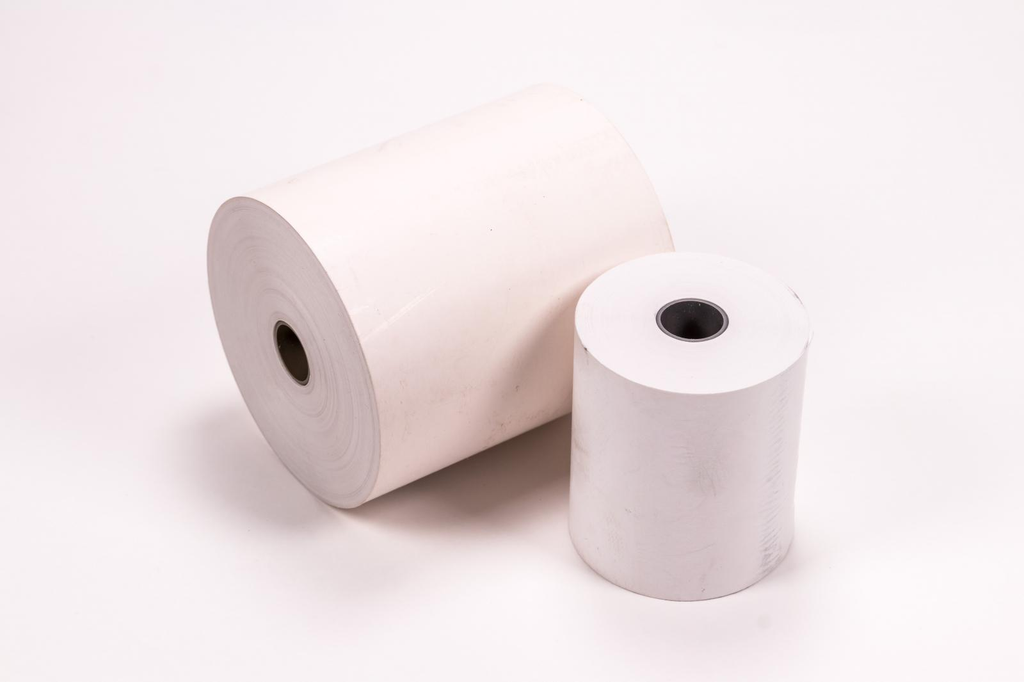
Here's how to find the right size without relying on guesswork.
1. Understand Thermal Paper Roll Dimensions
Thermal receipt paper is commonly described using two measurements, such as 80 × 80mm or 57 × 40mm.
The first number indicates the paper width, and the second indicates the outer diameter of the finished roll.
For example:
- 80 × 80mm: 80mm nominal paper width and 80mm outer diameter.
- 57 × 40mm: 57mm nominal paper width and 40mm outer diameter.
- 57 × 50mm: 57mm nominal paper width and 50mm outer diameter.
These measurements do not specify the roll's actual paper length or core dimensions.
Two rolls may have identical external dimensions but contain different lengths of paper due to differences in thickness and core size.
2. What Is the Difference Between 57mm and 80mm Thermal Paper?
The most common difference is the width of the receipt.
57mm thermal paper is frequently used in compact receipt printers, portable payment terminals, and smaller POS systems.
80mm paper is commonly used in countertop receipt printers where wider receipts are useful for displaying product descriptions, prices, and transaction details.
| Feature | 57mm Thermal Paper | 80mm Thermal Paper |
|---|---|---|
| Paper width | Approximately 57–58mm nominal | Approximately 80mm nominal |
| Typical equipment | Compact and portable POS printers | Countertop receipt printers |
| Receipt layout | Narrow format | Wider format |
| Common applications | Mobile payments, small receipts | Retail, restaurants, supermarkets |
| Roll diameter | Depends on printer | Depends on printer |
Neither width is universally better. The correct choice depends on the printer design and receipt layout requirements.
Some printers support both width settings with a paper guide or other configuration changes, while others accept only one width.
3. Check the Maximum Roll Diameter
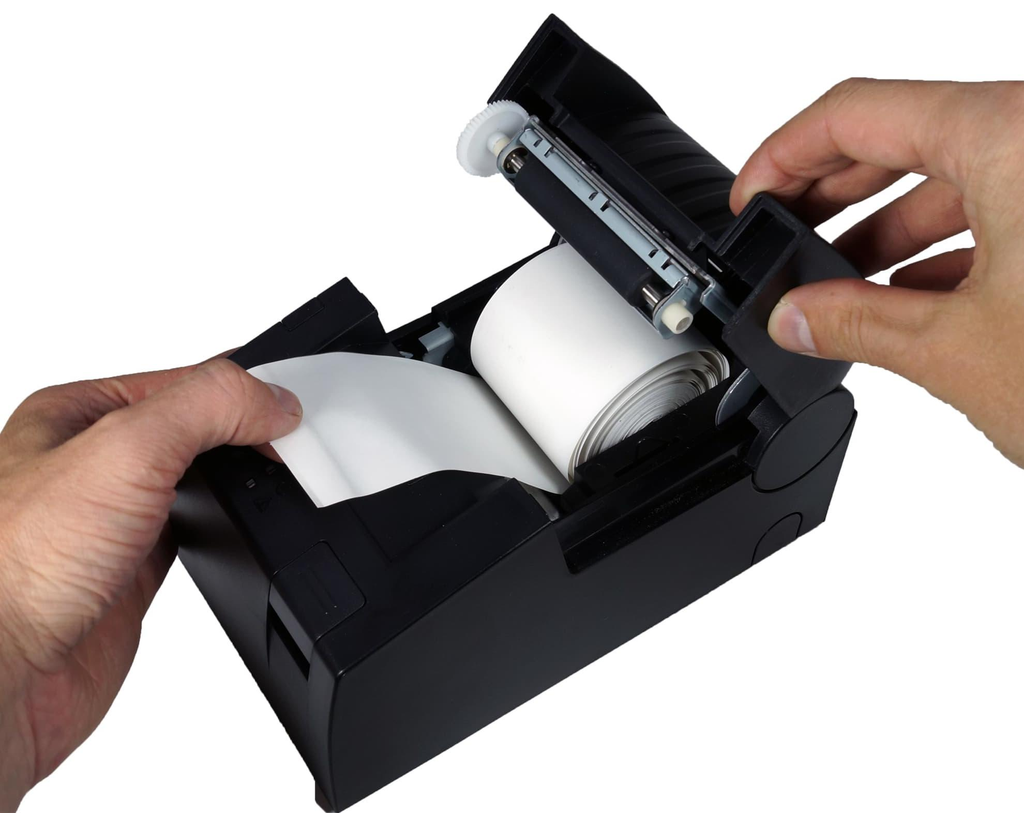
Even if the width is correct, the roll must fit inside the printer compartment.
For example, a printer designed for a maximum roll diameter of 50mm cannot accommodate an 80mm-diameter roll.
Larger rolls may reduce the frequency of paper replacement, but they require sufficient space inside the printer.
Before purchasing, check the manufacturer's documentation for the maximum supported diameter.
For compact printers, especially portable payment terminals, this measurement can be more restrictive than the paper width.
4. Confirm the Paper Core Size
The core is the central tube around which thermal paper is wound.
Some POS printers support different core configurations, while others require specific dimensions for proper installation or paper feeding.
Important measurements include:
- Core inner diameter
- Core outer diameter
- Core material, where applicable
Do not assume that all 80mm rolls have the same core size.
If you are ordering replacement paper, measuring an existing compatible roll is often helpful. However, printer documentation remains the best reference.
5. Check the Printer Model Before Ordering
Printer model numbers provide a more reliable starting point than general descriptions such as "cash register paper."
For example, certain Epson TM-T88 series printers support both nominal 80mm and 58mm paper widths, with configuration requirements depending on the specific model.
Other printers may support only a single paper width or have smaller maximum roll diameters.
When selecting paper, follow these steps:
- Find the exact printer model number.
- Check the manufacturer's supported paper width.
- Confirm the maximum roll diameter.
- Verify the core requirements and supported paper thickness.
- Confirm the correct paper loading orientation.
Avoid assuming that all printers from the same brand use identical paper rolls.
6. Does Paper Thickness Affect Roll Size?
Yes. Paper thickness affects how much paper can fit within a given roll diameter.
GSM describes paper mass per square meter, while thickness is measured separately, usually in microns.
Two paper grades with different thicknesses may produce different roll lengths even when the finished outer diameter is identical.
For businesses printing large numbers of receipts, this can affect how frequently paper rolls need replacing.
However, thinner paper is not always the best option. The selected grade must still fall within the printer's supported media specifications.
7. Make Sure the Thermal Coating Faces the Printhead
Direct thermal printing relies on heat-sensitive coating rather than ink or toner.
The coated side of the paper must face the printer's thermal printhead.
If the paper is loaded incorrectly, the printer may feed normally but produce blank receipts.
Most POS printers have a specific loading direction, and some roll constructions require particular winding orientations.
Follow the printer's loading instructions rather than assuming every thermal paper roll is wound in the same direction.
8. How to Measure an Existing Thermal Paper Roll
If the printer manual is unavailable, start by examining a roll that has already worked correctly in the machine.
Use a ruler or caliper to measure:
- Paper width across the roll
- Outer diameter of an unused roll
- Inner and outer dimensions of the core
Make sure to measure a new roll when checking maximum diameter. A partially used roll will not reveal the original size.
For repeat purchases, record the measurements alongside the printer model and paper grade.
This makes it easier to order consistent replacement rolls.
9. Choosing Thermal Paper Rolls for Multiple POS Models
Distributors and businesses operating several printer models may need more than one paper size.
Rather than using a single specification for every machine, group printers by their supported media requirements.
Create a purchasing list containing the printer model, nominal paper width, maximum roll diameter, core dimensions, and suitable paper grade.
This can reduce ordering mistakes and make inventory planning easier.
Mufeng Paper supplies thermal paper rolls in different dimensions and paper grades for commercial receipt printing applications.
For businesses purchasing paper in larger quantities, custom roll converting and bulk packaging options can be discussed according to the required specifications.
Frequently Asked Questions
Are 57mm and 58mm thermal paper rolls the same?
They are often used as nominal descriptions for the same width category, but exact tolerances matter. Some printers specify a paper width of 57.5 ± 0.5mm. Always check the manufacturer's requirements.
Can I use 80mm thermal paper in a 58mm POS printer?
No. An 80mm-wide roll will not fit a printer designed only for approximately 58mm paper. Use the width specified for your printer model.
What does 80 × 80mm mean on a thermal paper roll?
It normally indicates a nominal paper width of 80mm and an outer roll diameter of 80mm. It does not mean the roll contains 80 meters of paper.
How do I know which thermal paper size my printer needs?
Check the printer manual or manufacturer's technical specifications. Confirm the paper width, maximum roll diameter, core dimensions, and supported paper thickness.
Final Thoughts
Finding the right thermal paper roll size starts with the printer, not the paper supplier.
Check the exact paper width, maximum roll diameter, and core dimensions before ordering. For high-volume purchasing, also confirm paper thickness and winding requirements.
Need custom thermal paper rolls for your POS printers?
Explore Mufeng Paper's thermal paper products or contact our team with your printer model, required dimensions, and estimated order quantity.
Share on Social:


Contact Us
In This Article
Show All
Collapse
Related Posts
How to Choose the Right Adhesive Label Material for Your Application?
Jul 27, 2026
How to Choose Carbonless Paper for Multi-Part Business Forms?
Jul 26, 2026
How Do You Calculate Thermal Paper Roll Length from GSM and Diameter?
Jul 25, 2026
How to Choose Jumbo Thermal Paper Rolls for Slitting and Converting?
Jul 23, 2026