
 Get a Free Quote
 Home /
How to Choose Carbonless Paper for Multi-Part Business Forms?
Related Posts
How to Choose the Right Adhesive Label Material for Your Application?
Jul 27, 2026
How to Choose Carbonless Paper for Multi-Part Business Forms?
Jul 26, 2026
How Do You Calculate Thermal Paper Roll Length from GSM and Diameter?
Jul 25, 2026
How to Choose Jumbo Thermal Paper Rolls for Slitting and Converting?
Jul 23, 2026
A delivery driver signs a receipt, a technician completes a service report, or a warehouse employee records a shipment. In each case, several people may need a copy of the same document.
Carbonless paper makes this possible without inserting separate carbon sheets between pages.
To choose carbonless paper for multi-part business forms, start with the number of copies required, select the correct CB, CFB, and CF sheet combination, and confirm paper weight, copy sensitivity, printing compatibility, and finishing requirements.
Getting these details right helps commercial printers and distributors produce forms that remain readable, properly aligned, and easy to separate.
1. Understand How Carbonless Paper Works
Carbonless paper, also called NCR paper, uses pressure-sensitive coatings to transfer written or impact-printed information between sheets.
When pressure is applied to the top sheet, microscopic dye-containing capsules rupture. The released dye reacts with a receiving coating on the sheet below, producing a visible copy.
This process is commonly used for:
- Invoices and receipts
- Delivery notes
- Purchase orders
- Service and repair forms
- Warehouse and logistics records
- Multi-copy business documents
Unlike ordinary copy paper, carbonless paper requires correctly positioned coatings to produce duplicate records.
2. Choose the Correct CB, CFB, and CF Paper
The three main types of carbonless paper serve different purposes within a multi-part form.
| Paper Type | Coating | Position |
|---|---|---|
| CB (Coated Back) | Dye microcapsules on the back | Top sheet |
| CFB (Coated Front and Back) | Receiving coating on front, dye capsules on back | Middle sheets |
| CF (Coated Front) | Receiving coating on front | Bottom sheet |
The order matters.
For a standard three-part form, the correct arrangement is:
CB → CFB → CF
The top sheet transfers the impression to the middle sheet, which passes it to the bottom sheet.
Using CF paper in the middle, for example, would interrupt this transfer because it lacks the necessary coating on its back.
Before ordering loose sheets or pre-collated sets, confirm that each paper grade is intended for its position.

3. How Many Parts Should Your Forms Have?
The number of parts depends on how many records your business needs from a single transaction.
| Form Type | Paper Combination | Common Application |
|---|---|---|
| 2-Part | CB + CF | Receipts and invoices |
| 3-Part | CB + CFB + CF | Delivery and service forms |
| 4-Part | CB + CFB + CFB + CF | Logistics and distribution |
| 5-Part | CB + 3 CFB + CF | Multi-department records |
A two-part form works well when one copy stays with the business and another goes to the customer.
Three-part or four-part sets can support operations where several departments need separate records.
However, adding more layers increases the total form thickness and may reduce the clarity of lower copies.
The maximum practical number of parts depends on the paper grade, writing pressure, printing equipment, and required copy quality.
For five-part or higher configurations, sample testing becomes particularly important.
4. Select the Right Paper Weight and Thickness
Carbonless paper is available in different basis weights, commonly measured in grams per square meter (GSM).
Paper weight affects handling, form thickness, and material consumption.
Lighter paper can help reduce the total thickness of multi-part sets, while heavier grades may provide a more substantial feel for the original sheet.
However, GSM alone does not determine copy performance.
The coating sensitivity and the amount of pressure reaching each layer are also important.
When comparing paper grades, check:
- GSM of each sheet
- Actual paper thickness
- Coating sensitivity
- Copy density on lower sheets
- Compatibility with the intended printing equipment
For commercial form production, ask suppliers for the specifications of each CB, CFB, and CF grade rather than assuming all three layers have identical weights.
5. Check Copy Clarity and Pressure Sensitivity
The main purpose of carbonless paper is to produce readable copies.
A suitable paper grade should transfer handwritten or impact-printed information with sufficient clarity for its intended application.
Before purchasing, test the complete form set.
Write or print on the top sheet, then examine the lower copies for:
- Text readability
- Line definition
- Consistent image density
- Unwanted background marks
- Missing or incomplete impressions
If the bottom copy is too faint, the problem may involve insufficient pressure, coating sensitivity, excessive form thickness, or an unsuitable paper combination.
A successful test should use the same number of parts and printing method planned for production.
6. Confirm Printing Equipment Compatibility
Carbonless business forms can be preprinted using suitable commercial printing processes.
However, producing duplicate information through the assembled form set requires pressure.
For example, dot matrix impact printers can transfer information through compatible multi-part forms.
Standard non-impact printing processes do not automatically create impressions on the sheets underneath.
Some specialized carbonless papers are designed for laser or digital printing, but compatibility must be confirmed for the exact material and equipment.
Before selecting paper, determine whether the forms will be:
- Preprinted and completed by handwriting
- Used in dot matrix impact printers
- Printed as individual sheets before assembly
- Processed using another approved production method
Ask for equipment-specific paper guidance when heat, pressure, or multiple feeding stages are involved.
7. Consider Form Colors and Sheet Identification
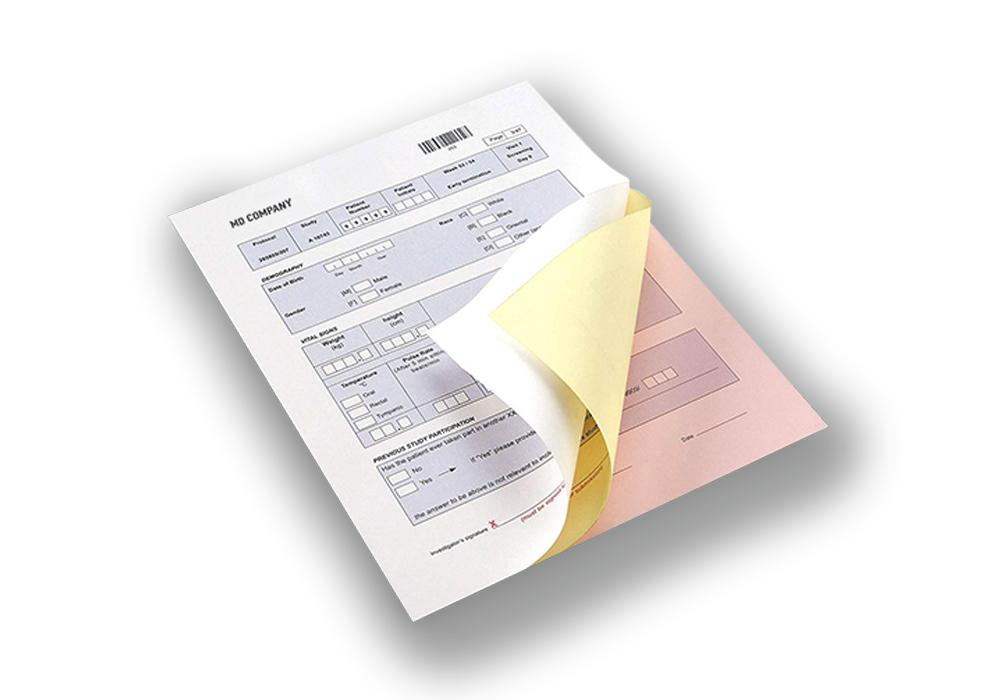
Multi-part forms often use different sheet colors to help users distinguish copies.
Common colors include white, yellow, pink, blue, and green, depending on supplier availability.
For example, a three-part form might use:
- White for the original
- Yellow for the customer copy
- Pink for internal records
The color sequence is a workflow choice rather than a requirement of the carbonless coating system.
For business forms with several departments, a consistent color arrangement can make handling and document distribution easier.
Confirm the available color options for each CB, CFB, and CF grade before finalizing the design.
8. Plan Printing, Perforation, and Binding
The paper itself is only one part of a finished business form.
Commercial forms may also require preprinted layouts, serial numbering, perforations, or adhesive binding.
For example, delivery forms may need matching reference numbers across all copies, while service reports may require perforations for quick separation.
Important finishing details include:
- Finished sheet dimensions
- Artwork and printing layout
- Serial numbering
- Perforation position
- Gluing or binding method
- Sheet collation order
- Packaging quantity
These requirements should be confirmed before production.
Incorrect sheet order or binding arrangements can make an otherwise suitable carbonless paper set difficult to use.
9. Test Samples Before Bulk Ordering
For wholesalers and form printers, a sample test is one of the most practical ways to confirm material suitability.
Request representative paper grades and assemble them in the intended sequence.
Then test handwriting or impact printing under normal operating conditions.
Pay particular attention to the last copy, where image clarity may be most difficult to maintain.
You should also check sheet alignment, feeding performance, perforation strength, and separation after binding.
Keep an approved sample or specification sheet as a reference for repeat purchases.
This helps reduce variation between orders and gives both parties a clearer basis for quality discussions.
10. Prepare a Carbonless Paper Purchasing Checklist
Before requesting a bulk quotation, prepare the following information.
| Specification | Information to Confirm |
|---|---|
| Paper Type | CB, CFB, CF |
| Number of Parts | 2-part, 3-part, 4-part, or other |
| Paper Weight | GSM for each layer |
| Sheet Size | Required dimensions |
| Color Sequence | White, yellow, pink, or other |
| Copy Performance | Required readability and sensitivity |
| Printing Method | Handwriting, impact printing, or approved process |
| Finishing | Printing, numbering, perforation, binding |
| Supply Format | Sheets, reels, or finished forms |
| Order Quantity | Sheets, sets, reams, or tonnage |
A complete specification makes supplier quotations easier to compare and helps avoid ordering the wrong paper combination.
For buyers sourcing carbonless paper materials, explore Mufeng Paper's carbonless paper products to review available options.
Frequently Asked Questions
What is the difference between CB, CFB, and CF carbonless paper?
CB paper is used as the top sheet, CFB paper is used for intermediate sheets, and CF paper is used at the bottom. Their coatings work together to transfer a written or impact-printed image through a multi-part form.
Can carbonless paper make five copies?
Some carbonless paper systems can support five-part forms or more, but copy quality depends on the paper grade, pressure, and printing equipment. Test the complete set before ordering.
Is thicker carbonless paper better?
Not necessarily. Thicker paper may offer a more substantial feel, but excessive combined thickness can reduce pressure transfer to lower sheets. Coating sensitivity and overall form construction are equally important.
Can carbonless paper be used in a laser printer?
Only if the specific carbonless paper is designed and approved for that printer or process. Do not assume ordinary carbonless paper is laser
Share on Social:


Contact Us
In This Article
Show All
Collapse
Related Posts
How to Choose the Right Adhesive Label Material for Your Application?
Jul 27, 2026
How to Choose Carbonless Paper for Multi-Part Business Forms?
Jul 26, 2026
How Do You Calculate Thermal Paper Roll Length from GSM and Diameter?
Jul 25, 2026
How to Choose Jumbo Thermal Paper Rolls for Slitting and Converting?
Jul 23, 2026